Field notes · GoBRS + Goby
Meet Goby, the agentic deed researcher that traces the chain of title for you
Instead of spending hours poring over deeds, tag Goby in and watch him pick up the work, or give Goby several jobs at once and come back to a .gobrs project for each, ready to review.*
* How far Goby gets on a job depends on the records it can reach. Some jobs need you along the way: a captcha, a sign-in, a fee, or a deed that isn't online. Goby says what it couldn't do and how sure it is of every line it drew, and its work is yours to check before you rely on it.
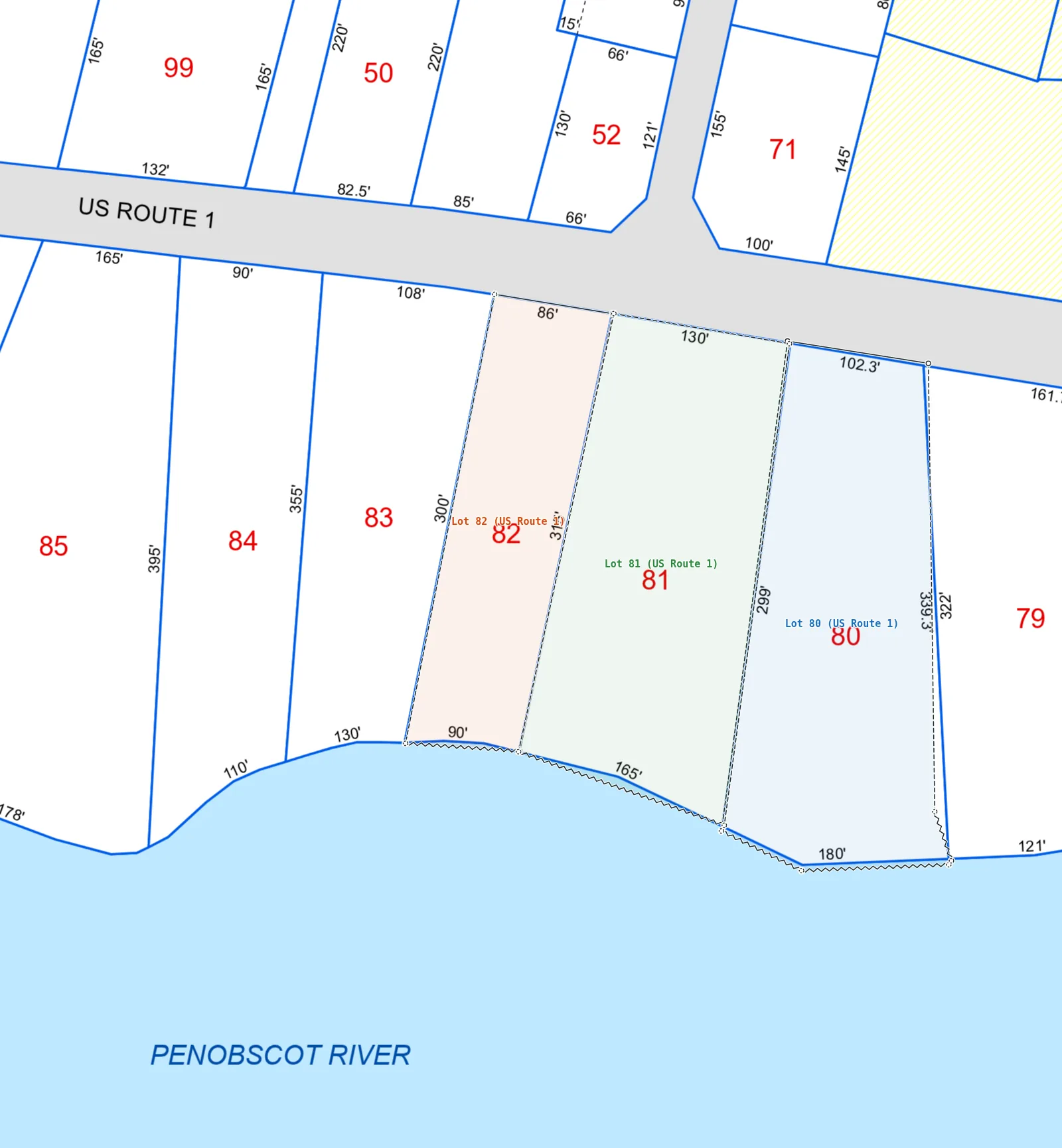
Bucksport, Maine · map 29, lots 80–82 · drawn by Goby from the deeds
What Goby does
Goby works inside the same GoBRS you use by hand: every deed it finds, every line it draws and every word it links is in front of you, to check and change.
| Item | Notes |
|---|---|
| Learns your registry | Show Goby how your county's registry works, and which sites it may use. It proves what it learned on a test deed of yours before it relies on it, then uses it on every job. |
| Finds and reads the deeds | Goby searches the records, opens each instrument and follows the title back through its recitals. It reads typed and handwritten deeds, old script included. |
| Builds the chain of title | Each deed goes on its lot's line in the Chain of Title, with its book and page, its parties and its document. Lots split and merge as the deeds divide and combine them. |
| Draws from the deeds | Every lot is drawn from its deed's own calls, on the town's tax map. Where a deed gives no bearing or distance, the tax map only guides that line, and it's drawn as not exact. Goby never traces a lot off the map. |
| Shows how sure it is | Each line and monument is graded direct, approximate or uncertain, and linked to the deed's words that place it. Where a deed and the tax map disagree, the drawing stays as the deed says and the difference is reported. |
| Auto mode | Turn on Auto mode and give Goby a list of addresses. It works each job until it's done, and stops only when it needs you: a captcha, a sign-in or a fee. |
| Your own server | Each firm's Goby runs on a server of its own. Download any job as one .gobrs file at any time. |
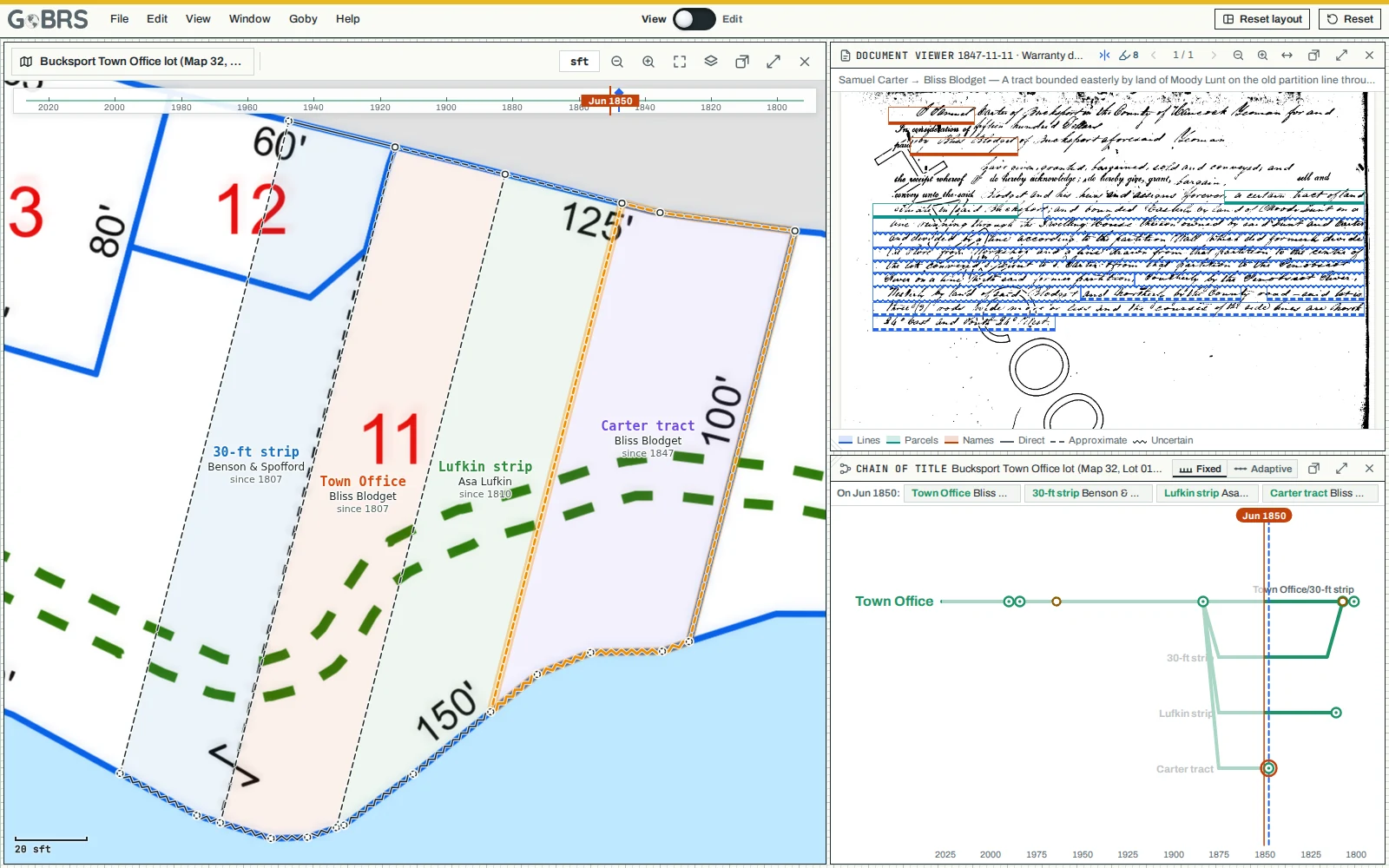
How a job goes
| Step | Notes |
|---|---|
| 1. Start it | Type the parcel's address, or a list of them with Auto mode on. Goby makes a project for each. |
| 2. Goby researches | It finds the deeds, builds the chain of title, sizes and turns the tax map sheet, and draws each lot as it stood at every date in the chain. |
| 3. You review | Drag the timeline and watch the lots change. Open any deed beside the map, at the words that place a line. Correct anything by hand. |
| 4. Hand it over | Download the job as one .gobrs file. Your client opens it free at viewer.gobrs.ai. |
Try GoBRS + Goby in the Beta
GoBRS + Goby is in Beta testing alongside GoBRS. If you'd like to try Goby on your own jobs and tell us how it does, email [email protected].
Sign up for launch news and we'll email you when the final release version goes on sale.